Up to 12 photos on one template: magnets, A4 and a magazine cover
A photo booth template can now hold up to 12 photos, and the layouts adapt to the format on their own. Here are two ideas this opens up: a photo sheet for magnets and an A4 magazine cover.
Until now, a template in Fotillo Editor held 5 photos at most. That was enough for strips and postcards, but not for large sheets. Now you can fit up to 12 photos, and the wizard suggests a layout matched to the format and its size.
Up to 12 photos in one template
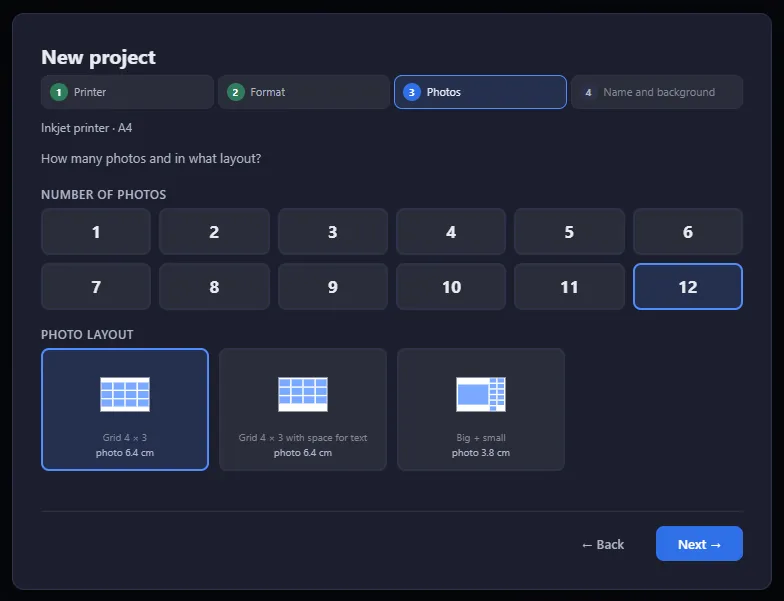
In the new project wizard you choose the number of photos from 1 to 12. That is how many photos from one Fotillo Cloud session are sent to guests' phones. So the number of fields matches what the guest receives.
Every field works as before. You move it, resize it and rotate it. You add a mask, a frame or a decoration.
Layouts matched to the format
The wizard calculates the layout from the proportions and the print size. On a portrait 5×15 strip, three photos stand one under another, and on a landscape postcard they sit side by side.
You can choose from several suggestions:
- a grid with the largest photos that fit the format,
- a grid with room for text, meaning a band for names, a date or a logo,
- large and small photos, when the format is big enough for it,
- rotated photos with 2, 3 or 4 photos.
Under each suggestion you see the photo width in centimetres. If the photos would come out narrower than 2.5 cm, the wizard warns you and suggests fewer photos or a larger format.
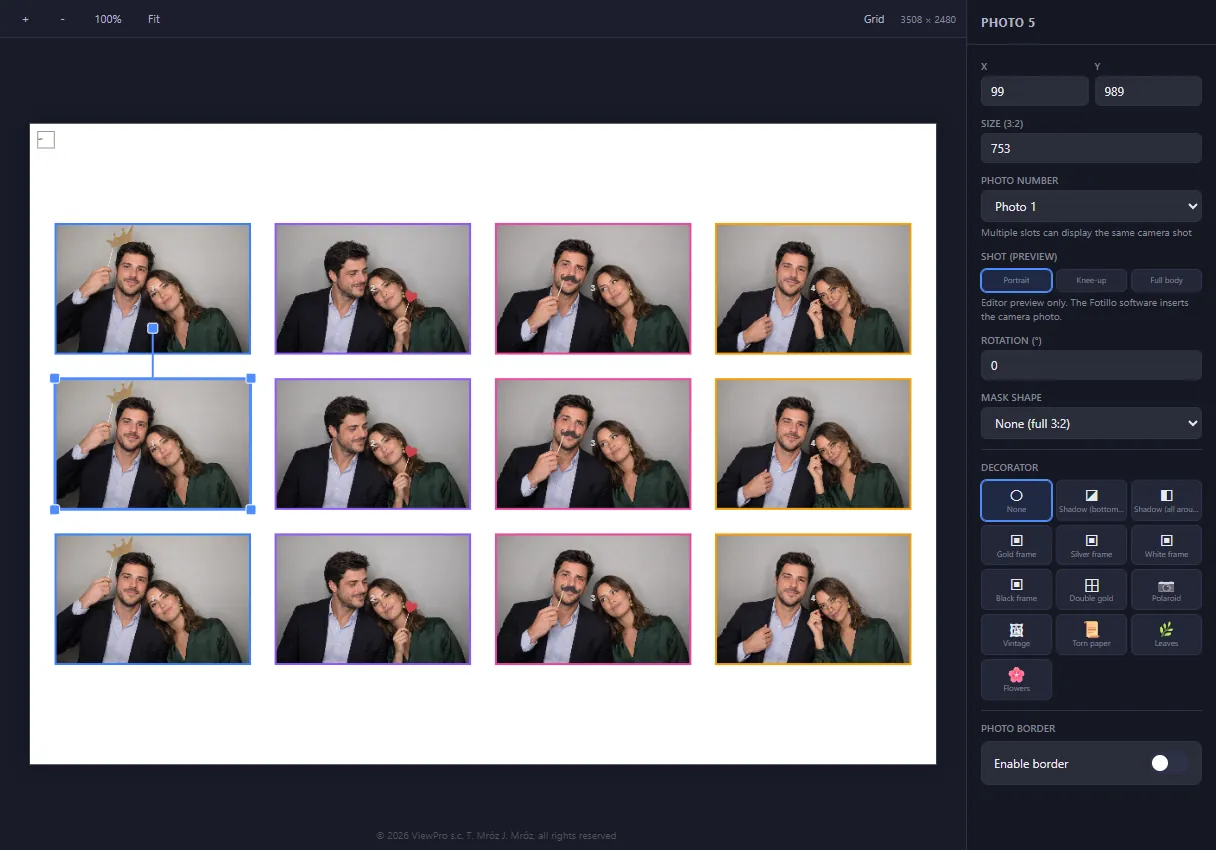
Many photos on a large format, for example for magnets
A large sheet with many photos is a good offer for companies that make magnets from photo booth pictures. One print gives you several magnets at once.
Sample photo sizes with 12 fields:
| Format | Layout | Photo width |
|---|---|---|
| A3 landscape | 4 × 3 | approx. 9 cm |
| A4 landscape | 4 × 3 | approx. 6.4 cm |
| A4 portrait | 2 × 6 | approx. 6 cm |
| 15×20 portrait | 3 × 4 | approx. 4.3 cm |
The wizard adds the gaps between photos itself. They make it easier to cut the sheet into single magnets.
Several copies of the same photo. In the right-hand panel, every field has a Photo number. Set the same number in several fields, and the Fotillo software puts the same shot there. That way you can make, for example, 12 magnets from one photo or 4 shots with 3 copies each.
A magazine cover on A4
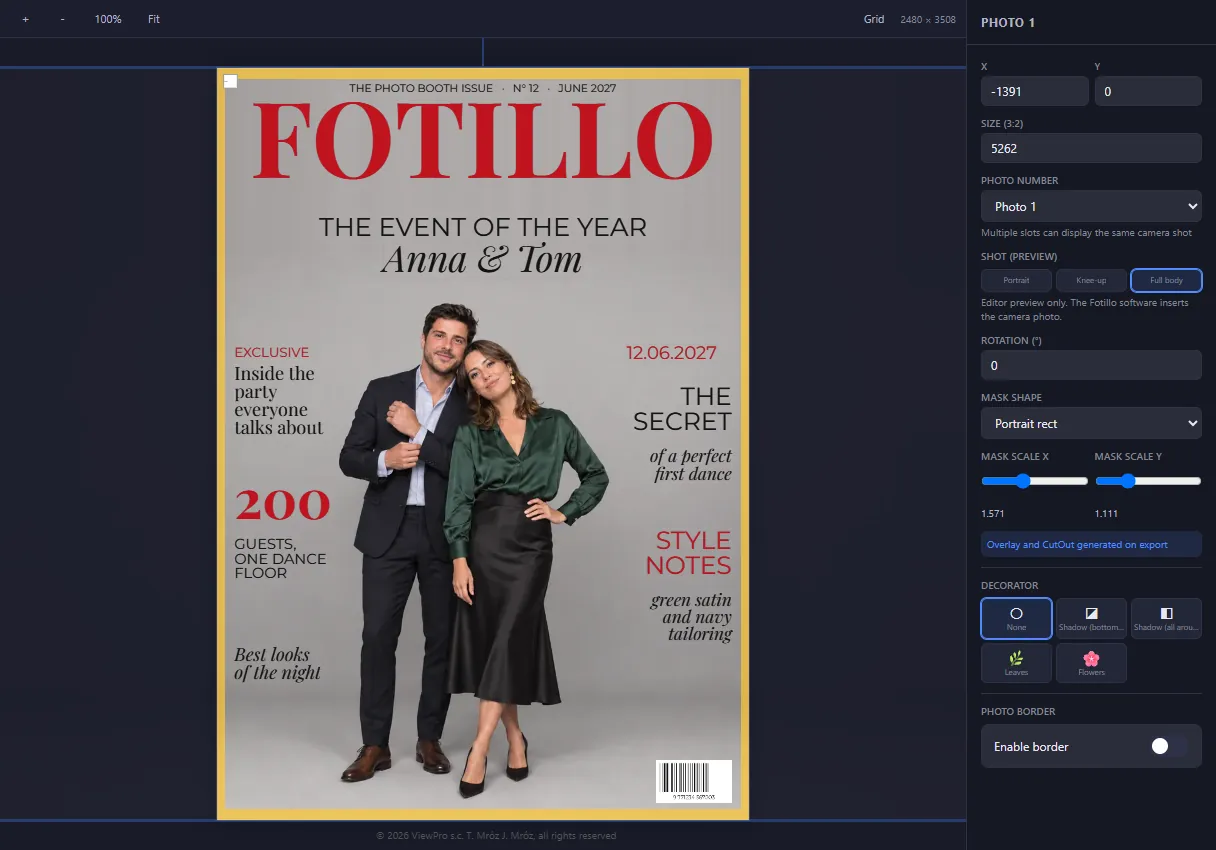
A magazine cover with guests as the stars is a popular photo booth service. On A4, you can prepare it in the editor in a few minutes.
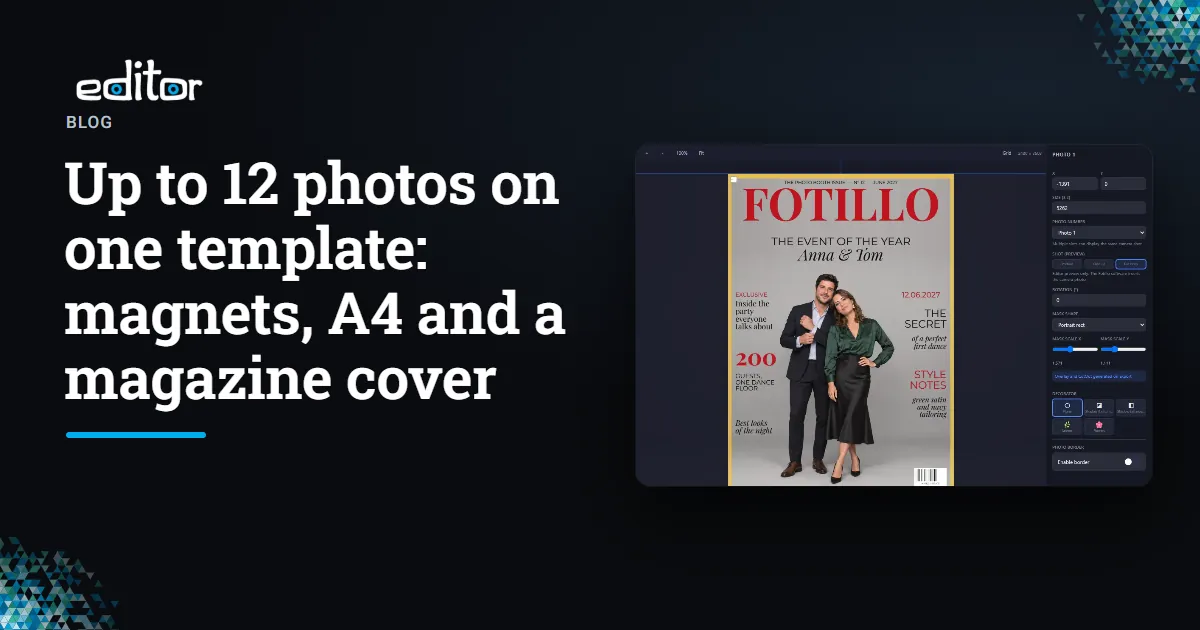
The camera photo is landscape, but the cover is portrait. The Portrait rect mask helps with that:
- Create a portrait A4 project with one photo.
- Enlarge the photo field to the full height of the page. The field will extend past the sides of the page, and that is fine.
- Choose the Portrait rect mask. With the Mask scale X and Mask scale Y sliders, fit it to the whole page.
- Add the magazine title and the cover lines as decorative texts without a background. Place them above the heads and at the sides of the figures.
- Add the names and the date as labels. You type them on site in the Fotillo software, under the F3 key.
The portrait mask fits full-length figures, not just a portrait. That makes the cover look like one from a fashion magazine. Set up the camera in the booth so that guests are in the frame from head to toe.
In the example below, the magazine is called FOTILLO and the cover lines are in English. A big red title, cover lines in two typefaces and a barcode in the corner make the print look like a real cover. The barcode is an ordinary PNG graphic.
You can download this cover as a .fotillo file. On the editor start screen, click Load project (.fotillo) and replace the texts with your own.
Which printer prints A4
The A3, A4 and A5 formats are for sheet printers, meaning inkjet and laser printers. The Fotillo software prints every template on them. A Citizen or DNP printer prints from a roll, so an A4 template usually will not appear on a photo booth with such a printer.
You can read more about formats in the post about photo booth print sizes.
Check the print before the event
Do a Test export. You do not need an account and you pay nothing. Print a few sheets on the same printer and paper you will use at the event. A test print carries the DEMO mark, but it shows the layout, the colours and the cutting lines.
When everything is right, click Export for printing. The template gets a digital signature and prints without the DEMO mark, from €0.76 net.
Frequently asked questions
How many photos fit on one template?
Up to 12 photos. That is how many photos from one Fotillo Cloud session are sent to guests' phones.
Can I put the same photo in several fields?
Yes. In the right-hand panel, set the same Photo number in several fields. The Fotillo software puts the same shot there, which helps with magnets.
How do I make a portrait cover when the camera photo is landscape?
Enlarge the photo field to the full height of the page and choose the Portrait rect mask. With the Mask scale X and Mask scale Y sliders, fit it to the whole page.
Will an A4 template print on a photo booth with a Citizen printer?
Usually not. The A3, A4 and A5 templates are for inkjet and laser printers. A Citizen or DNP printer prints from a roll, so choose a roll format for it.